 11
11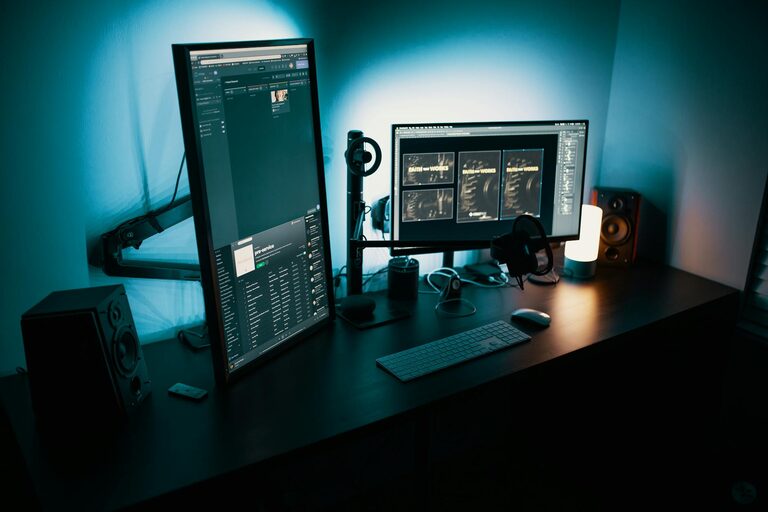
Creating a productive home office space can transform your work-from-home experience, making daily tasks easier and more enjoyable. With more people working remotely, having a dedicated and well-organized area to focus on your job is essential. Whether you have a full room or just a small corner, some thoughtful planning and organization can help you create an efficient workspace that suits your needs.
In this post, we’ll explore practical tips for designing a home office that encourages productivity and keeps distractions at bay.
Having a specific area reserved for work helps your brain separate professional time from personal time. It supports a routine, improves focus, and makes it easier to shift into work mode. Plus, a well-designed workspace can reduce physical strain and mental fatigue.
Even if you’re short on space, setting up a mini home office signals that it’s time to focus when you’re there.
When selecting a spot for your home office, consider these factors:
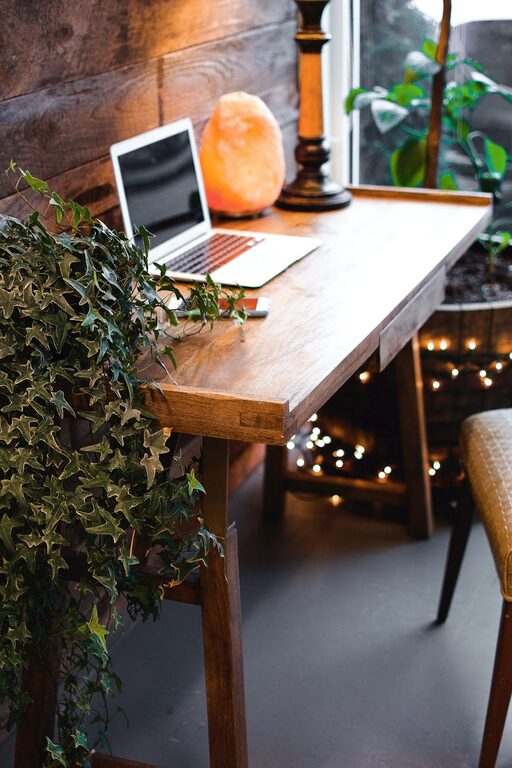
– Natural Light: A location near a window boosts mood and energy. Natural light reduces eye strain and creates a pleasant atmosphere.
– Quiet Environment: Pick a place with minimal noise and distractions. Avoid high-traffic areas if possible.
– Space for Equipment: Make sure there’s enough room for your computer, monitors, printer, and any other tools you need.
If space is limited, look for an unused nook or a spare closet that can be transformed into a workspace.
Comfort is crucial to staying productive for long hours. Consider the following:
– Desk: Choose a desk with enough surface area for your equipment and workspace. Adjustable desks that allow sitting and standing options are excellent.
– Chair: An ergonomic chair supports good posture, reducing back and neck pain. Look for adjustable height, lumbar support, and padded seating.
– Monitor Stands and Keyboard Trays: Proper monitor height and keyboard placement help prevent strain.
Setting up your furniture ergonomically can prevent discomfort and improve focus throughout the day.
A clutter-free environment supports clear thinking. Use these tips:
– Storage Solutions: Use shelves, filing cabinets, or drawer organizers to keep papers and supplies tidy.
– Cable Management: Keep cords neat with clips or cable sleeves to prevent tangling.
– Daily Essentials: Keep frequently used items within arm’s reach to minimize distractions.
Regularly declutter and only keep what you need to maintain a clean workspace.
Good lighting reduces eye strain and creates an inviting workspace. Here’s how:
– Task Lighting: Use a desk lamp to focus light where you need it most.
– Avoid Glare: Position screens perpendicular to windows to minimize glare.
– Adjust Color Temperature: Use warm light for relaxation times and cooler white light to stay alert.
Consider dimmable lights or lamps with adjustable brightness for flexible control.
Adding personal touches can make your home office more enjoyable and motivating:
– Decor: Add plants, artwork, or photos that inspire you.
– Colors: Choose wall colors or accessories in shades that boost your mood. Blues and greens often promote calmness, while yellows enliven.
– Comfort Items: A cozy throw blanket, cushion, or footrest can increase comfort.
A personalized office feels welcoming and encourages you to spend time there.
Staying focused means managing technology wisely:
– Use Productivity Apps: Tools like timers, to-do lists, and focus apps can help manage work sessions.
– Notifications: Turn off non-essential notifications during work hours.
– Separate Devices: If possible, use different devices for work and personal activities to maintain boundaries.
Develop tech habits that support your workflow, not disrupt it.
Clear boundaries help keep your work and personal life balanced:
– Set Work Hours: Keep consistent times for starting and ending your day.
– Communicate: Let family or housemates know your schedule to minimize interruptions.
– Breaks: Schedule regular breaks to stretch, hydrate, and rest your eyes.
Establishing a routine helps maintain productivity and well-being.
Make it a habit to tidy your office at the end of each day. A clean space sets a positive tone for the next work session and reduces stress.
– Clear your desk surface
– Organize papers and files
– Put away supplies
– Wipe down surfaces if needed
Designing a productive home office is all about creating an environment that supports your work style and well-being. With the right location, ergonomic furniture, organization, lighting, and personalization, you can make your home office an inspiring and efficient place to accomplish your goals.
Remember, productivity is not just about working harder but working smarter—and a well-planned workspace is a great step in that direction. Start small, make gradual improvements, and enjoy the benefits of a space designed to help you succeed.